
The short version
BMAD Method gives you
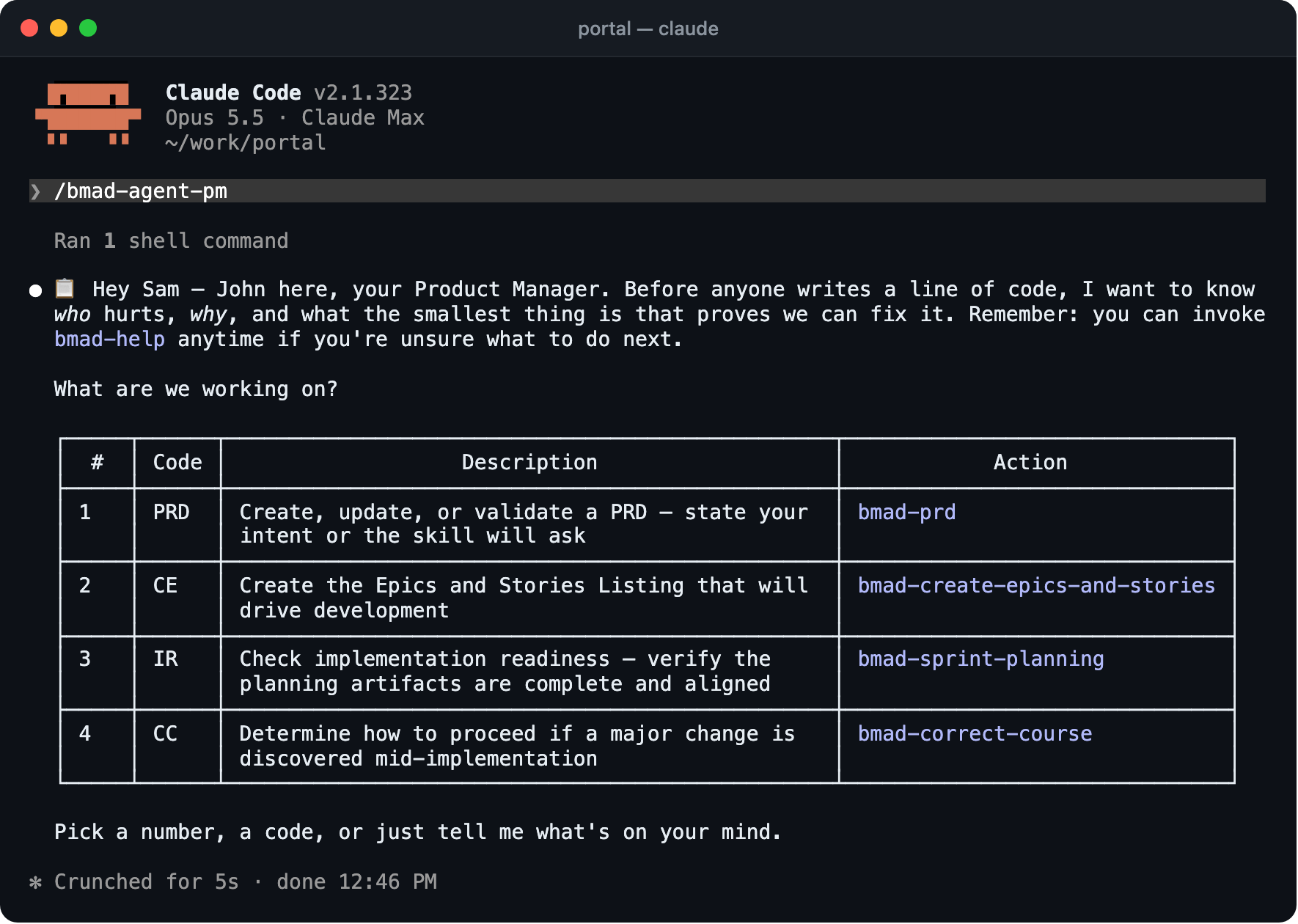
Named perspectives for your coding agent (product, architecture, UX, dev, test) and a planning path from a quick fix to a full PRD with a spec per epic. Everything is markdown in your repo, and it is free and MIT licensed.

 Speclr gives you
A guided conversation for your whole team, from vague idea to refined user stories with Gherkin scenarios. It runs in your browser, the AI is included, and the people with the knowledge answer the questions themselves.
The difference is where the work runs, who can reach it, and where the context lives.
What BMAD Method is good at
BMAD gives your agent a role for each part of the job, and each role writes its own document. It also sizes the planning to the change: a small fix goes straight to build, a large initiative gets a PRD, a spec per epic and stories. The documents sit next to the code, it installs through a package command or as a plugin, and it supports a long list of coding tools.
Where it gets hard when requirements belong to more than one head
Say your team is building self-service contract changes for a customer portal. The product owner has the business rules, a customer-support lead knows where people get stuck, and two developers will build it.
BMAD runs in the coding agent, so the person who runs it answers for every role the agent asks about. The documents are then reviewed by people who are not in the repository, working from a rendering of the source file, and their comments live wherever they left them. The questions were answered by the person closest to the code, not by the person closest to the customer.
There is also a reading problem. A path that produces a PRD, an architecture document and a spec per epic is a lot for a team to review in depth, and what nobody reviews carefully is not agreed.
What Speclr does instead
- People, not personas.The AI asks, and the product owner, the support lead and the developer answer in the same project. Perspective agents for consistency, risk, quality, security and architecture then review what the team decided, rather than decide for it.
- Context lives in the project.What the team settled in discovery stays available as domain knowledge in later phases and sessions. It is not a file someone has to remember to load. Contradictions in it are detected, and risks are identified and managed in the project.
- Material comes in, and is reviewed together.Upload interview notes, documents or photos of workshop results. Speclr extracts and classifies the content, and the team goes through it in Review Files before anything is worked in.
- Less, but agreed.The result is user stories with a few Gherkin scenarios each. A scenario is short enough for the product owner to read and say yes or no.
- No terminal, no extra subscription.Anyone you invite works in the browser. The AI usage is part of the plan.
Where BMAD Method is stronger
- It runs inside your coding agent, so planning and building share one session and one set of files.
- It covers the path all the way to code, including dev and test roles. Speclr follows implementation through issue and branch states, but it does not build.
- Its sizing means a small change gets a small process. Speclr is built for features that need a conversation, and it is more than you need for a one-line fix.
- It is free, highly customisable, and works with a very long list of coding tools.
- It writes its sprint state next to the code. Speclr is not a tracker, but it exports the spec into yours and reads implementation progress back from issue and branch states.
Use both
Speclr exports into your SCM, ticket system or wiki, or as a download for your agent, so BMAD’s skills can run on top of the result.
BMAD is free. Why pay for Speclr?
BMAD is free and open source, and you pay only for your coding agent. Speclr starts at $29 a month, billed annually, with AI usage included. You pay for getting several people into one conversation without asking each of them to check out a repository.
| What is compared | BMAD Method | Speclr |
|---|---|---|
| Price | Free, MIT licensed. You pay for your coding agent. | From $29 a month, billed annually. AI usage included in the plan. |
| Where it runs | Inside your coding agent. | In your browser. |
| Who can reach it | Whoever works in the repository. | Anyone you invite to the project. |
| Where decisions live | Markdown in the repo: PRD, architecture, one spec per epic. | A project in your workspace, with domain knowledge across phases. |
| Who answers the questions | The person running the agent. | The people in the project. |
| What you get | A PRD, architecture and specs, sized to the change. | User stories and Gherkin scenarios. |
| Issue tracker | A sprint-status file, with trackers updated through hooks you configure. | Not a tracker. Exports into your ticket system, SCM or wiki, and implementation progress comes back from issue and branch states. |
Questions
Yes, in principle: Speclr’s export is plain files and issues.
Last updated 13 November 2026. BMAD Method details from its README, license and documentation, checked 13 November 2026. Found something out of date? Tell us at contact@speclr.dev.